
eFBR vs IRIS: Which Portal Do You Use for Tax Filing in Pakistan?
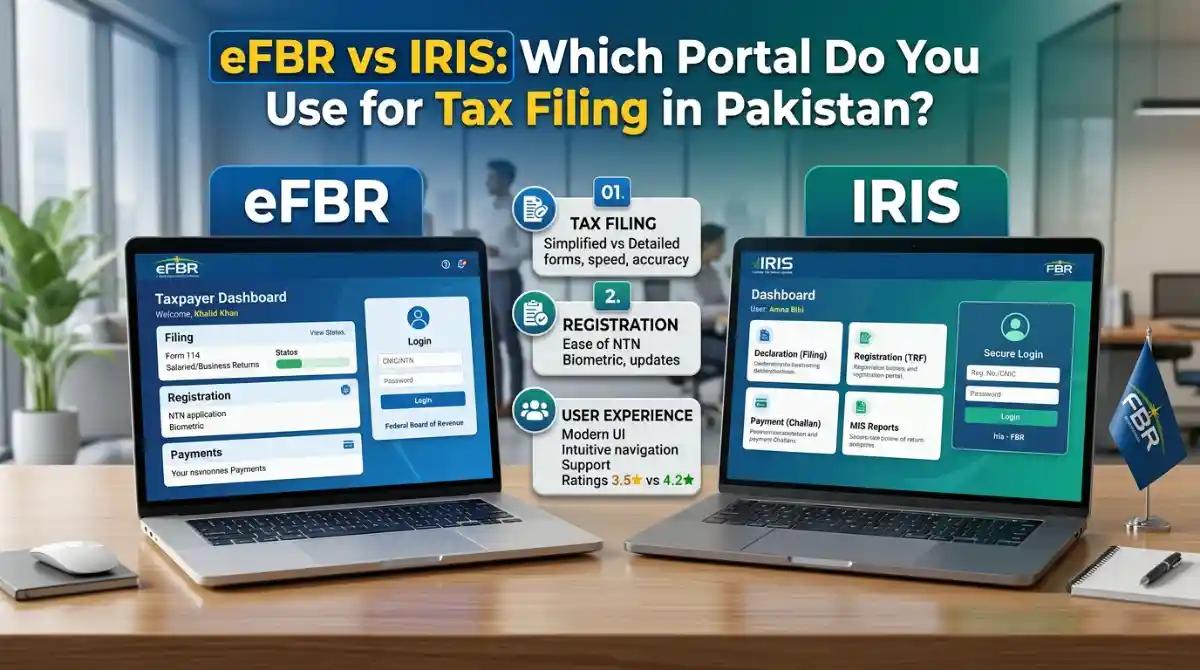
If you've ever tried to file your taxes online in Pakistan, you've probably heard two names thrown around — eFBR and IRIS. And if you're confused about which one to use, you're not alone. Thousands of Pakistani taxpayers, salaried individuals, freelancers, and business owners ask the same question every tax season.
In this guide, we'll break down everything you need to know about both portals — what they are, how they differ, who uses which, and how to get started. By the end, you'll know exactly where to go for your tax filing in Pakistan.
What Is the eFBR Portal?
The eFBR portal (accessible at www.fbr.gov.pk) was the Federal Board of Revenue's original digital gateway for taxpayers. Launched in the early days of Pakistan's digital tax transformation, eFBR allowed users to access various FBR e-services, including NTN registration, sales tax verification, ATL checks, and basic tax-related functions.
Think of eFBR as the main website of FBR — a hub that connects taxpayers to different services. It hosts informational content, downloadable forms, policy notifications, SROs, and links to other portals including IRIS.
Key functions available through the eFBR platform include:
- NTN and STRN verification
- Active Taxpayer List (ATL) check
- FBR online verification by CNIC
- CPR (Computerized Payment Receipt) verification
- FBR e-payment and tax challan submission
- Access to tax calculators and income tax slabs
- FBR helpline and contact directory
However, eFBR itself does not handle actual income tax return filing. That's where IRIS comes in.
What Is IRIS? The FBR IRIS Portal Explained
IRIS stands for Integrated Revenue Information System. It is the dedicated income tax filing portal developed by Pakistan Revenue Automation Limited (PRAL) for the Federal Board of Revenue. If you want to file your income tax return in Pakistan, register your NTN, submit your wealth statement, or respond to an FBR audit notice — IRIS is the platform you must use.
You can access the IRIS portal directly at iris.fbr.gov.pk.
IRIS is not just a portal — it is the backbone of Pakistan's income tax administration system. It handles everything from taxpayer registration and return filing to notices, demand orders, refund processing, and much more.
Here's what you can do on the IRIS FBR portal:
- Register for NTN (National Tax Number) for the first time
- File income tax returns (Form 114 for individuals and salaried persons)
- Submit wealth statements and wealth reconciliation
- File nil returns
- Respond to FBR notices under sections like 114, 122, and others
- Apply for tax refunds
- Submit withholding tax statements
- Check your filer status and ATL status
- Update taxpayer profile information
In 2024–2025, FBR launched IRIS 2.0, an upgraded version of the portal with a more modern interface, improved speed, and enhanced features for both individuals and businesses. If you were using the old IRIS login, IRIS 2.0 is now the active system.
eFBR vs IRIS: What's the Core Difference?
Here's the simplest way to understand it:
eFBR = The FBR Website (Information & Verification Hub) IRIS = The Tax Filing Portal (Where Returns Are Actually Filed)
| Feature | eFBR (fbr.gov.pk) | IRIS (iris.fbr.gov.pk) |
| Purpose | General FBR services & info | Income tax return filing |
| NTN Verification | Yes | Yes (via login) |
| Income Tax Filing | No | Yes |
| ATL Check | Yes | Yes |
| Wealth Statement | No | Yes |
| FBR Notices | No | Yes |
| Sales Tax Filing | Limited | Via integration |
| E-Payment | Yes (PSID/CPR) | Yes |
| Account Required | No (for most checks) | Yes (mandatory login) |
So when someone asks "which portal do I use for tax filing in Pakistan" — the answer is always IRIS. eFBR is where you go for general information, verification, and FBR e-services. IRIS is where the actual tax compliance happens.
Who Uses IRIS and Who Uses eFBR?
Understanding which portal is right for you depends on what you're trying to do.
Salaried Persons
If you are a salaried employee looking to file your annual income tax return, become a filer, or check your ATL status — you need IRIS. You'll log in at iris.fbr.gov.pk, fill out Form 114 (for salaried individuals), attach your employer's salary certificate, and submit your return. IRIS 2.0 has made this process significantly more user-friendly for first-time filers.
Want to learn the step-by-step process? Check our detailed guide on how to file an income tax return in Pakistan.
Business Owners and Self-Employed Individuals
If you run a business — whether a sole proprietorship, partnership, or company — you'll use IRIS for income tax returns and wealth statements. For sales tax returns (on goods and services), FBR has a separate module integrated within the eFBR/IRIS ecosystem, typically accessed through the SWAPS (Synchronized Withholding Administration and Payment System) and the Federal Tax Ombudsman system.
Freelancers
Freelancers in Pakistan are increasingly required to be tax filers. IRIS is the portal where freelancers register their NTN, file income tax returns, and maintain active filer status to avail lower withholding tax rates on banking transactions. For a complete overview, read our guide on freelancer tax compliance in Pakistan.
Companies and AOPs (Associations of Persons)
Larger entities — including private limited companies, public companies, and AOPs — use IRIS for corporate income tax filings, audit responses, wealth statements, and all communication with the Federal Board of Revenue.
How to Create an Account on IRIS FBR Portal
If you're filing for the first time, here's how to get started on IRIS:
Step 1: Visit iris.fbr.gov.pk
Step 2: Click on "Registration" to start your e-enrollment process. You'll need your CNIC number, a valid mobile number, and your email address.
Step 3: Complete the e-enrollment form. FBR will send an OTP to your registered mobile number to verify your identity.
Step 4: Once verified, your NTN (National Tax Number) is generated, and you receive your IRIS login credentials.
Step 5: Log in to IRIS using your NTN and password. From your dashboard, you can file returns, check notices, update your profile, and much more.
Step 6: To file your income tax return, navigate to "Declaration" and then select the relevant return form based on your taxpayer type (salaried, business, AOP, or company).
For a complete walkthrough on becoming a filer, visit our blog on how to become an active tax filer in Pakistan.
How to Check Your Active Taxpayer Status (ATL)
Your ATL (Active Taxpayer List) status determines whether you're treated as a filer or non-filer. Being on the ATL means you pay significantly lower rates of withholding tax on banking transactions, property purchases, and vehicle registrations.
You can check your ATL status in two ways:
Via eFBR: Visit www.fbr.gov.pk, go to the "Online Verification" section, and enter your CNIC or NTN.
Via SMS: Send your CNIC number to 9966 and you'll receive your ATL status immediately.
Via IRIS: After logging in, your taxpayer profile shows your current active status.
It's critical to understand the difference between ATL, NTN, and STRN registration. We've explained it in detail in our blog on ATL, NTN, and STRN differences in Pakistan.
Is eFBR Still Active in Pakistan?
Yes — but not as a separate standalone portal for tax filing. The domain efbr.gov.pk was the older FBR web interface. Today, most functions have been consolidated under fbr.gov.pk and the dedicated iris.fbr.gov.pk portal. If you're searching for "eFBR login" or "e FBR gov pk iris," you'll typically land on pages that redirect you to the main FBR website or directly to IRIS.
The terminology "eFBR" is still widely used in conversation and SEO, but practically speaking, the active portals are:
- fbr.gov.pk — Main FBR website for verification, ATL checks, e-payment, and general services
- iris.fbr.gov.pk — Active portal for income tax return filing, NTN registration, and taxpayer account management
Sales Tax Filing in Pakistan: Which Portal?
Sales tax in Pakistan is governed by the Sales Tax Act 1990 and is administered by FBR. The sales tax return filing is done through a module connected to the FBR ecosystem. Registered businesses with an STRN (Sales Tax Registration Number) file their monthly sales tax returns online.
FBR has also introduced digital invoicing and e-invoicing requirements for registered businesses. The FBR Point of Sale (POS) system and digital invoicing integration are part of this modernization drive. Learn more about this in our guide on FBR digital invoicing system.
For sales tax-specific training, ICT offers a dedicated Master Sales Tax Course that covers STRN registration, monthly return filing, input-output tax adjustment, and FBR compliance.

efbr-vs-iris-tax-portal-pakistan
FBR's Digital Transformation: From eFBR to IRIS 2.0
Pakistan's Federal Board of Revenue has undergone a massive digital transformation over the past decade. The journey from paper-based tax filing to the IRIS 2.0 portal reflects a commitment to making tax compliance accessible, transparent, and efficient.
Key milestones in FBR's digital journey include:
- Introduction of e-filing through the original eFBR system
- Launch of IRIS (Integrated Revenue Information System) for online income tax management
- Integration of SWAPS for withholding tax statements
- Launch of the Tax Asaan App for mobile tax filing and ATL verification
- Introduction of IRIS 2.0 with an upgraded interface and improved data accuracy
- Mandatory digital invoicing for registered POS businesses
- FBR's QR code verification system for invoices and receipts
To understand how FBR's digital transformation is reshaping tax compliance, read our in-depth blog on FBR's digital transformation in Pakistan.
Common IRIS Portal Issues and How to Fix Them
Many users report problems with the IRIS FBR portal, especially during the tax return deadline season. Here are some common issues and quick fixes:
IRIS login not working: Clear your browser cache, try a different browser (Chrome or Firefox recommended), or reset your password via the "Forgot Password" link on the IRIS login page.
QR code login suspended: FBR temporarily suspended QR code-based login for security reasons. Use your NTN and password to log in directly. Check the FBR official website for the latest updates.
Return not submitting: Make sure all mandatory fields are filled. IRIS 2.0 flags incomplete sections before allowing submission.
ATL status not updated: ATL is updated annually in March. If you've filed your return but your status hasn't updated, allow 2–4 weeks or contact the FBR helpline at 051-111-772-772.
FBR Penalties for Non-Filers: What You Risk
Not filing your income tax return in Pakistan comes with serious consequences under the Income Tax Ordinance 2001. FBR has been aggressively pursuing non-filers, with penalties including:
- Higher withholding tax rates on banking withdrawals, property purchases, and vehicle registrations
- FBR notices under Section 114 requiring mandatory return filing
- SIM card blocking for persistent non-filers
- Financial penalties and surcharges
Our detailed blog on FBR non-filer penalties in 2026 covers the complete penalty structure and how to avoid it.
What Documents Do You Need for FBR Tax Return Filing?
Before you log in to IRIS and start filing, gather these documents:
- Your CNIC (Computerized National Identity Card)
- NTN number (if already registered)
- Salary certificate from your employer (for salaried persons)
- Bank statements for the tax year
- Rental income records (if applicable)
- Property ownership documents
- Vehicle registration details
- Business income and expense records (for business owners)
- Prior year's wealth statement (for comparison)
Having all documents ready before logging in to IRIS makes the filing process smoother and reduces errors.
The Tax Filing Deadline in Pakistan
The standard deadline for filing income tax returns in Pakistan is September 30 of each year for individuals and salaried persons, and December 31 for companies. However, FBR often extends these deadlines — sometimes to October 31 or even November 30 — based on taxpayer demand and system load.
For the latest deadline updates, always check www.fbr.gov.pk or our blog on FBR income tax return deadline updates.
Why Learning IRIS and FBR Tax Filing Is Now a Career Skill
The shift to digital tax compliance has created a huge demand for professionals who understand the IRIS portal, FBR regulations, and practical tax filing. Whether you're an accountant, finance student, freelancer, or business owner — tax knowledge is now a high-value, income-generating skill.
Across Pakistan, from Karachi to Islamabad, Lahore to Faisalabad — people are enrolling in taxation courses to build this skill and turn it into a career.
Who Should Learn FBR IRIS Tax Filing?
- Fresh graduates in commerce, accounting, or business administration
- Salaried individuals who want to manage their own tax compliance
- Freelancers offering tax services to clients
- CA, ACCA, and ICMA students who need practical FBR exposure
- Entrepreneurs and small business owners
- Finance professionals seeking to add a high-demand specialization
Best Taxation Courses in Pakistan: Train on IRIS and FBR Filing
If you want to master the IRIS portal, understand FBR compliance, and build a career as a certified tax professional — formal training is the fastest path. Here's what to look for in a quality taxation course:
- Practical IRIS portal training (not just theory)
- Coverage of both income tax and sales tax
- FBR e-enrollment, NTN registration, and ATL processes
- Filing wealth statements and nil returns
- Handling FBR notices and audit responses
- Income Tax Ordinance 2001 and Sales Tax Act 1990 fundamentals
Taxation Courses Available Across Pakistan
Whether you're looking for taxation courses in Islamabad, tax training in Lahore, taxation courses in Karachi, or online programs accessible from Rawalpindi, Faisalabad, Multan, Peshawar, Hyderabad, Quetta, Sialkot, or Gujranwala — the demand for certified tax professionals is growing in every city.
ICT (Institute of Corporate and Taxation), based in Islamabad, is widely recognized as one of the best taxation institutes in Pakistan. With a comprehensive curriculum covering domestic and international taxation, ICT has trained thousands of professionals across the country.
ICT offers a range of programs including:
- Certified Tax Advisor Course — covering FBR IRIS filing, income tax, sales tax, and tax advisory skills
- Master Sales Tax Course — specialized training in sales tax compliance and return filing
- Advance Taxation and Litigation Course — for professionals handling FBR notices, audits, and litigation
- UK Taxation Course, USA Taxation Course, Canadian Taxation, UAE Taxation, and Saudi Taxation for international tax professionals
You can explore all available programs at ict.net.pk/courses.
Why Choose ICT for Your Taxation Training?
ICT isn't just another institute offering theoretical tax lectures. Here's what makes it the preferred choice for taxation certification in Islamabad and across Pakistan:
- Practical IRIS portal training — students file real returns during the course
- Expert faculty with active FBR compliance experience
- Up-to-date curriculum reflecting the latest FBR regulations and IRIS 2.0 changes
- Job placement support for graduates
- Certificate verification available at ict.net.pk/certificate-verfication
- Flexible batch timings including weekend and evening classes
- Both in-person (Islamabad) and online options
Read what students and tax professionals are saying in our blog on why ICT is the No. 1 taxation institute in Islamabad.
Frequently Asked Questions (FAQs)
Q1: What is the difference between eFBR and IRIS portal? eFBR (fbr.gov.pk) is the main FBR website offering general tax information, verification services, and e-payment. IRIS (iris.fbr.gov.pk) is the dedicated income tax portal where taxpayers file returns, register for NTN, submit wealth statements, and manage their tax accounts.
Q2: Which FBR portal should I use for income tax filing in Pakistan? You should use the IRIS portal at iris.fbr.gov.pk for all income tax return filing in Pakistan. eFBR/fbr.gov.pk is used for general services and verification.
Q3: How do I log in to the IRIS FBR portal? Visit iris.fbr.gov.pk, enter your NTN (or CNIC for first-time users) and password. If you don't have an account, click "Registration" to complete the FBR e-enrollment process.
Q4: Is eFBR still active in Pakistan? The eFBR name is still used commonly, but the active portals are fbr.gov.pk (main website) and iris.fbr.gov.pk (tax filing). The old efbr.gov.pk domain now redirects to FBR's main portal.
Q5: What is NTN and how do I get it from FBR? NTN (National Tax Number) is your unique tax identification number in Pakistan. You can register for NTN for free through the IRIS portal at iris.fbr.gov.pk by completing the e-enrollment process with your CNIC and contact details.
Q6: Is FBR IRIS portal free to use? Yes, the IRIS portal is completely free for all taxpayers. There are no charges to register, file returns, or access your tax account on IRIS.
Q7: What is the deadline for income tax return filing in Pakistan? The standard deadline is September 30 for individuals and salaried persons. Companies have until December 31. FBR frequently grants extensions — always check fbr.gov.pk for the latest deadlines.
Q8: How can I become a certified tax advisor in Pakistan? Enroll in a certified tax advisor course from a recognized institute like ICT. The course covers FBR IRIS filing, income tax, sales tax, and tax advisory skills — giving you the practical expertise to work as a professional tax consultant. Visit ict.net.pk/courses/certified-tax-advisor to learn more.
Q9: How do I file a nil return on IRIS FBR portal? Log in to IRIS, go to "Declaration," select Form 114 (for individuals), fill in your basic information with zero income, and submit. Our detailed guide on filing a nil income tax return in Pakistan walks you through each step.
Q10: Can I file my tax return without a tax consultant? Yes — especially after completing a taxation course. Many salaried individuals and freelancers now file their own returns on IRIS without hiring a consultant. However, for complex cases with multiple income sources, business income, or FBR notices, professional guidance is recommended.
Conclusion: IRIS Is Your Go-To Portal for Tax Filing in Pakistan
To sum it all up — if you need to file your income tax return in Pakistan, register your NTN, submit a wealth statement, or respond to an FBR notice, IRIS (iris.fbr.gov.pk) is the portal you use. eFBR or fbr.gov.pk is where you verify your ATL status, check NTN details, make e-payments, or access general FBR information.
Both portals work together as part of Pakistan's evolving digital tax ecosystem — and understanding how to use them effectively is now a critical professional skill. Whether you're a salaried employee trying to become a filer, a freelancer building a tax consulting service, or a finance professional looking to level up — tax knowledge pays off.
Ready to master FBR IRIS, income tax filing, and tax compliance in Pakistan?
👉 Book your seat in the Advanced Taxation Course at ICT — the Institute of Corporate and Taxation. Our certified tax advisor programs give you hands-on IRIS portal training, real-world filing experience, and a credential that employers and clients recognize.
📍 Visit ict.net.pk/courses or contact us at ict.net.pk/contact to enroll today.
For official FBR services, always use verified government portals: www.fbr.gov.pk and iris.fbr.gov.pk. For FBR helpline support, call 051-111-772-772.
Comments (0)
No comments yet. Start the conversation!
Leave a Reply
Your email address will not be published. Required fields are marked *